Why Save WeChat (Weixin) Video Assets with Ai2Done?
WeChat / Weixin (微信) is unlike any other ecosystem: official Subscription accounts publish polished articles with embedded video, Channels (视频号) hosts short and long video posts that look more like LinkedIn than TikTok, mini-program livestreams power direct-to-merchant ecommerce, and corporate WeCom (企业微信) accounts circulate training and announcement clips that HR teams need to keep. The downside is that nothing about WeChat's UI is designed for offline access — there's no "Save to Camera Roll" button on Channels videos for non-creators, no public canonical URL on most Subscription account video embeds, and the in-app browser strips most external player controls. That's why brand marketers, compliance reviewers, and HR teams reach for an external downloader: to extract the underlying MP4 from a Channels permalink (channels.weixin.qq.com/web/pages/feed?…), to archive an OA (Official Account) article's video for a quarterly compliance log, or to preserve a livestream replay before the merchant deletes it after a Double-11 (双11) campaign. Ai2Done's WeChat video downloader supports Channels (视频号) shortform, Channels long-form video posts, and standalone video URLs embedded in 公众号 articles. Two scenarios deserve emphasis: first, anything sent inside a private chat or a private group cannot be downloaded — it's encrypted end-to-end and rightfully off-limits. Second, official accounts often gate exclusive content to subscribers within the Mini Program shell; those require an authenticated session this tool does not provide. Realistic use cases are public Channels posts, public 视频号 livestream replays, and embeds inside publicly viewable 公众号 articles — exactly what brand monitoring and competitive intelligence teams need.
How to download a Weixin Channels video
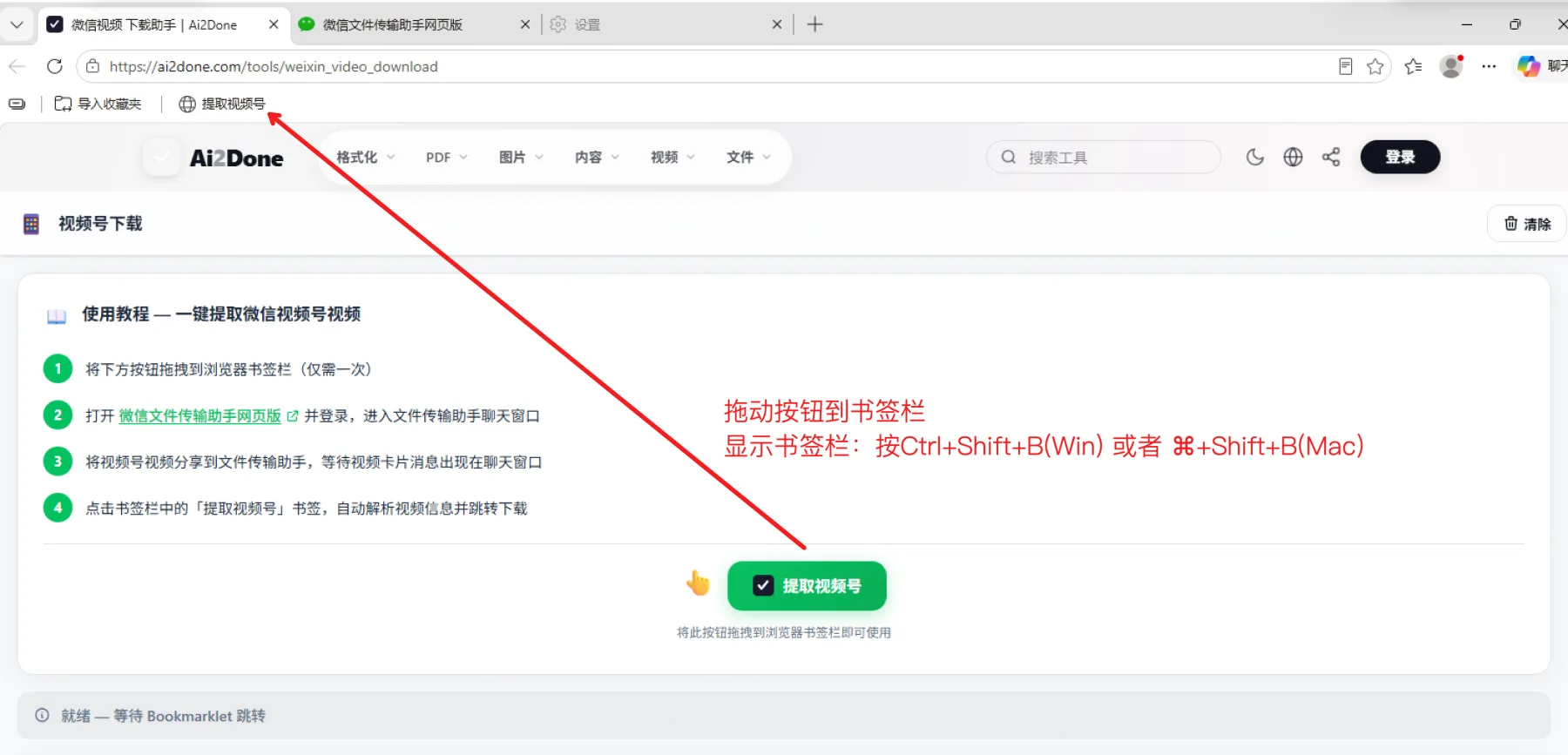
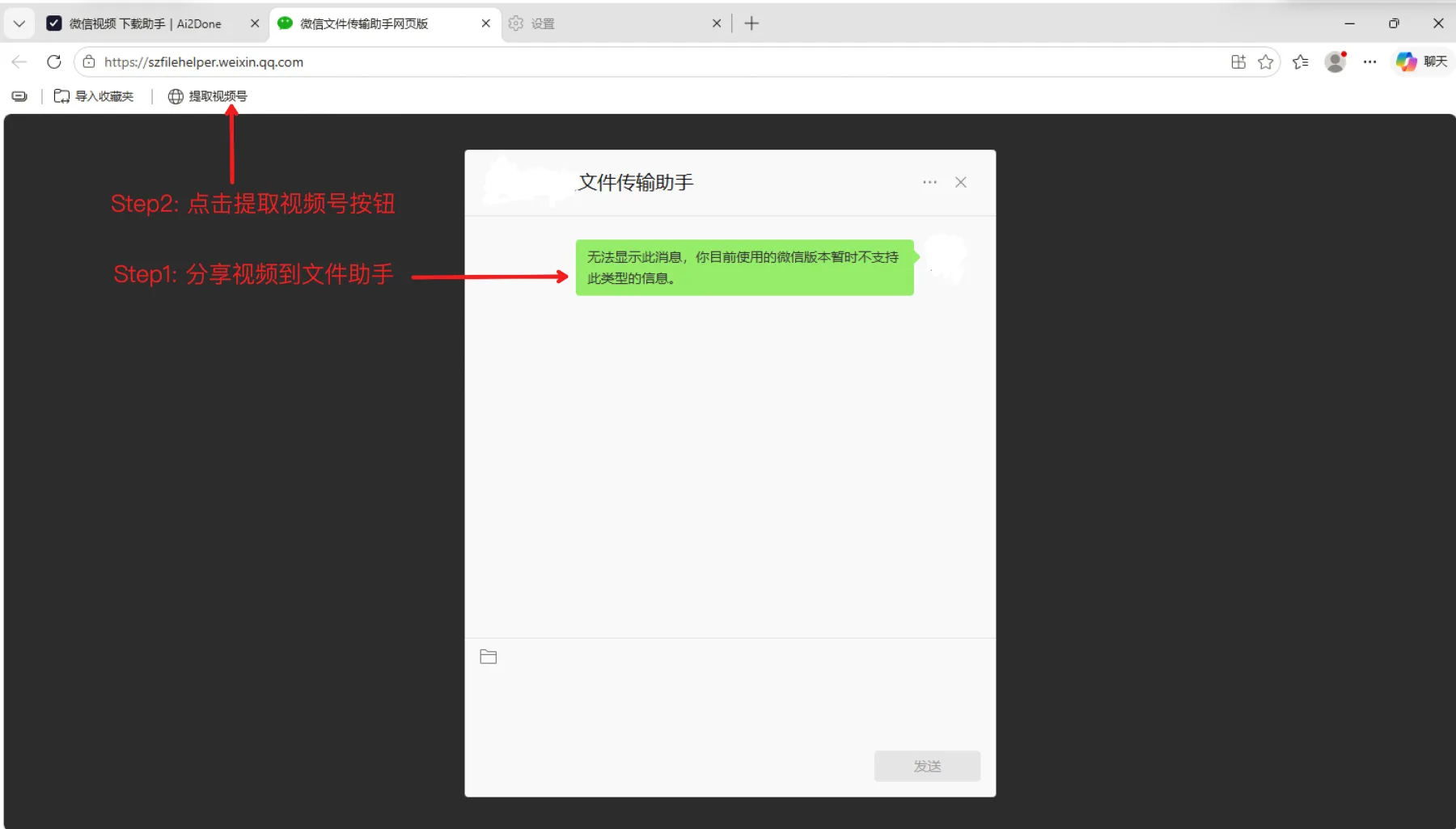
- Open the Channels post inside WeChat, tap the share menu (•••), and choose Copy link (复制链接). Paste it into a browser to verify it resolves to channels.weixin.qq.com/… If you have the desktop WeChat client, you can right-click a Channels embed and select "Copy video link" directly.
- Paste the channels.weixin.qq.com URL into the downloader. The preview shows the Channels account name (视频号名称), upload date, and duration. Pick MP4 1080p for compliance archives, 720p for internal review.
- Download the file. Filename pattern `wxchannels_{accountID}_{YYYYMMDD}.mp4` keeps your DAM searchable. Store the original channels.weixin.qq.com link plus a screenshot of the post in case the account is later closed (which happens frequently to commerce-focused 视频号 accounts).